
The annual transition from central heating to air conditioning will take place today.
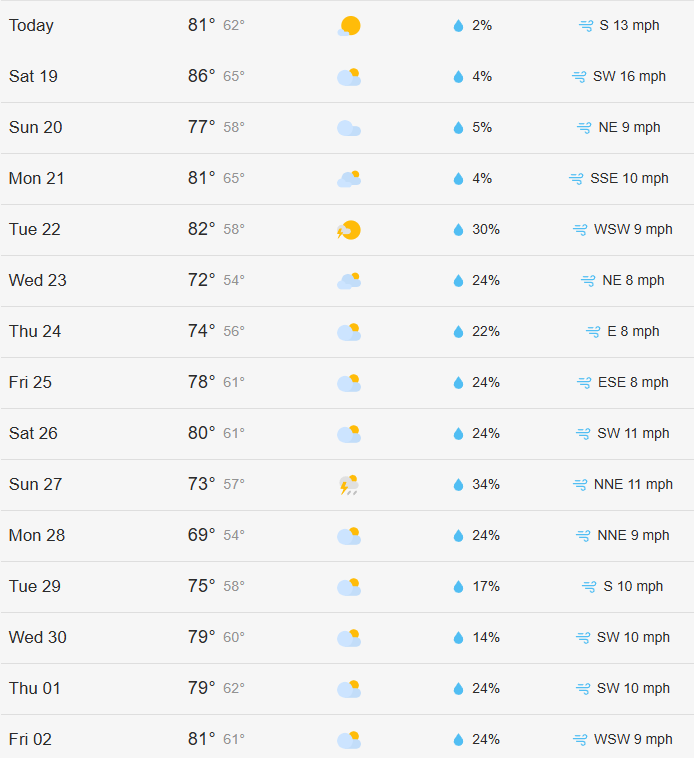
After a few unseasonably warm days followed by a long stretch of cold and mild temperatures, the forecast now points to a steady rise—warmer days are here to stay.

Using the Air Conditioning in Your Apartment
- Locate the thermostat on the living room wall, positioned above the return vent (the large panel).
- Gently flip down the bottom cover of the thermostat to access the controls.
- Set the FAN switch to AUTO.
- Set the SYSTEM switch to COOL.
- Close the thermostat cover.
The display shows two numbers:
- The left number indicates the current room temperature.
- The right number shows the setpoint temperature (your desired cooling level).
Use the arrow buttons to adjust the setpoint temperature to your preference.
When the room temperature rises above the setpoint, the system will automatically activate the fan to cool the space until the desired temperature is reached.
PLEASE NOTE: The air conditioning system operates on an on-demand basis. Chilled water continuously circulates throughout the system, allowing for cooling as needed.
If the FAN switch is set to “ON” instead of “AUTO”, the air conditioning will be constantly blowing in the apartment without a setpoint temperature.
Remember to keep your windows and doors closed while cooling your apartment to achieve the most efficiency and comfort.
When the central air conditioning system is turned on, it could take some time for the cooling to begin in your apartment. Once the system has cooled down, it will be in A/C mode until October 15th at the earliest or, at the latest, November 1st, regardless of weather.
Click Here and for more information about how to save on your monthly energy, utility, and heating bills.